

Every Feature, Shown With
Real Screens
No mockups, no imagination required. This is the actual product your team will use - in Gujarati, Hindi and English.
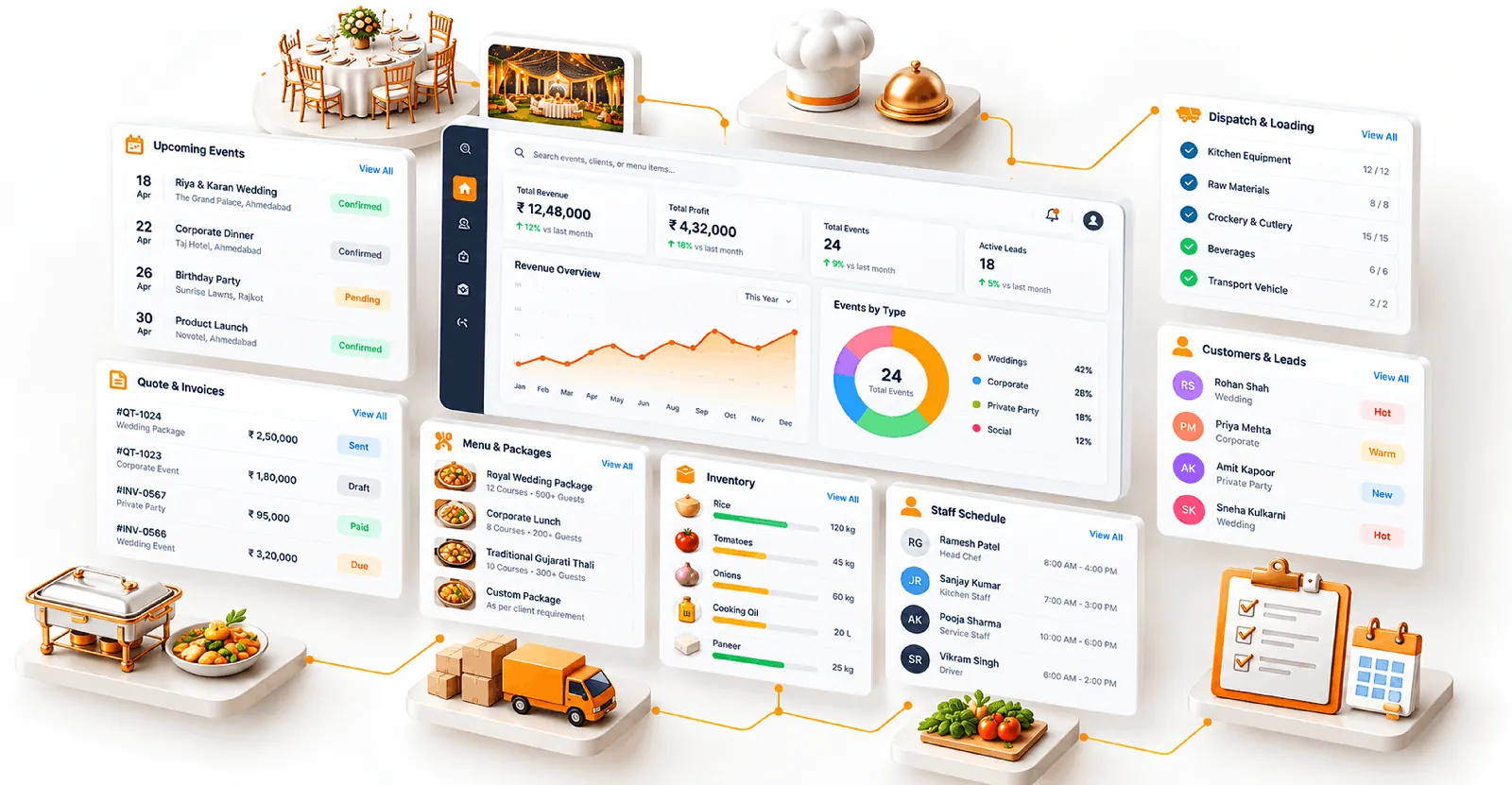
See it, don't imagine it
Real screens from CaterCaptain. This is what your operation looks like when it's organised.
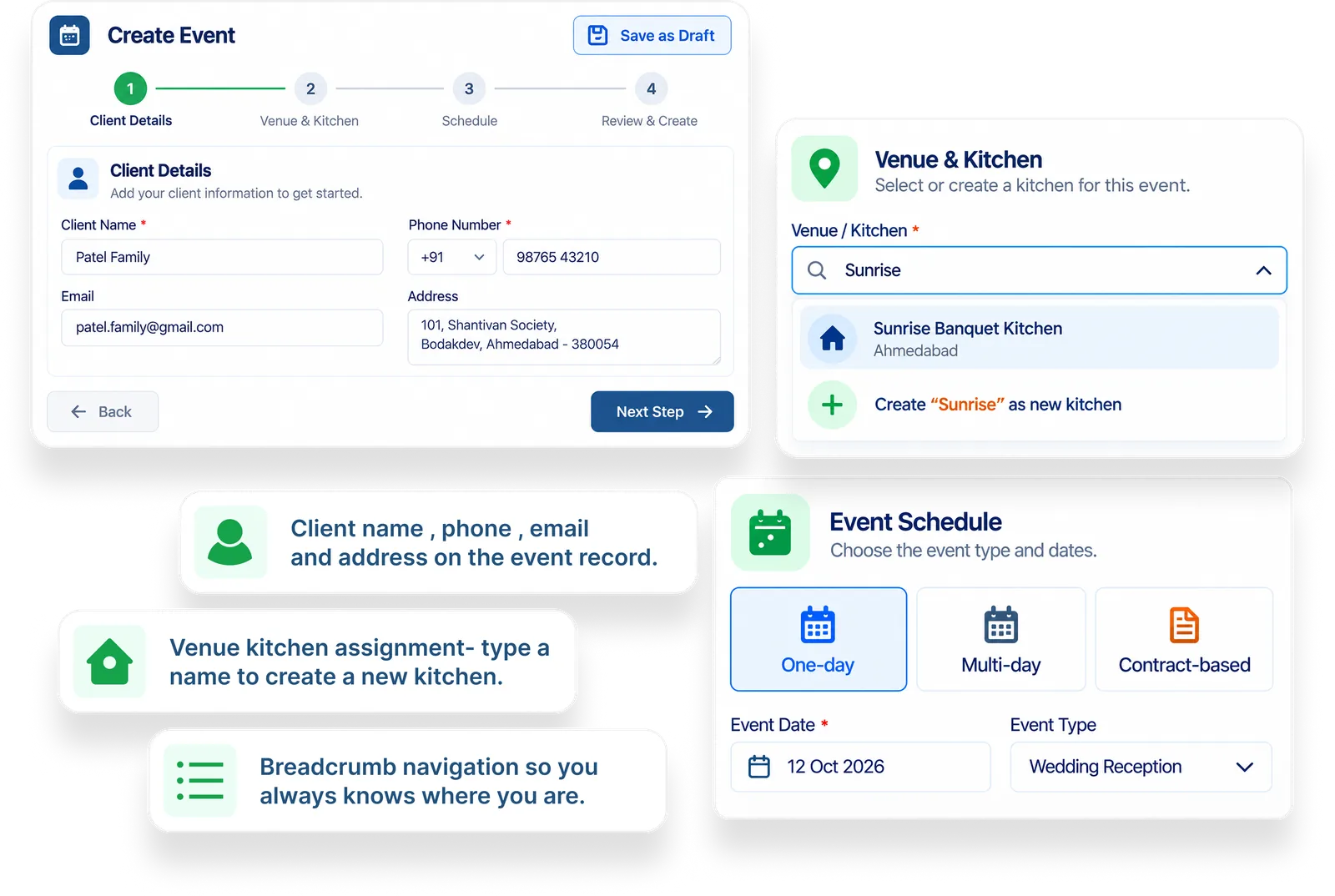
Event lifecycle in 4 steps
Create an event with client details, venue and schedule type - one-day, multi-day or contract-based. Each step saves as you go, so a half-planned event is never lost.
- Client name
- Date
- Venue
- Event flow
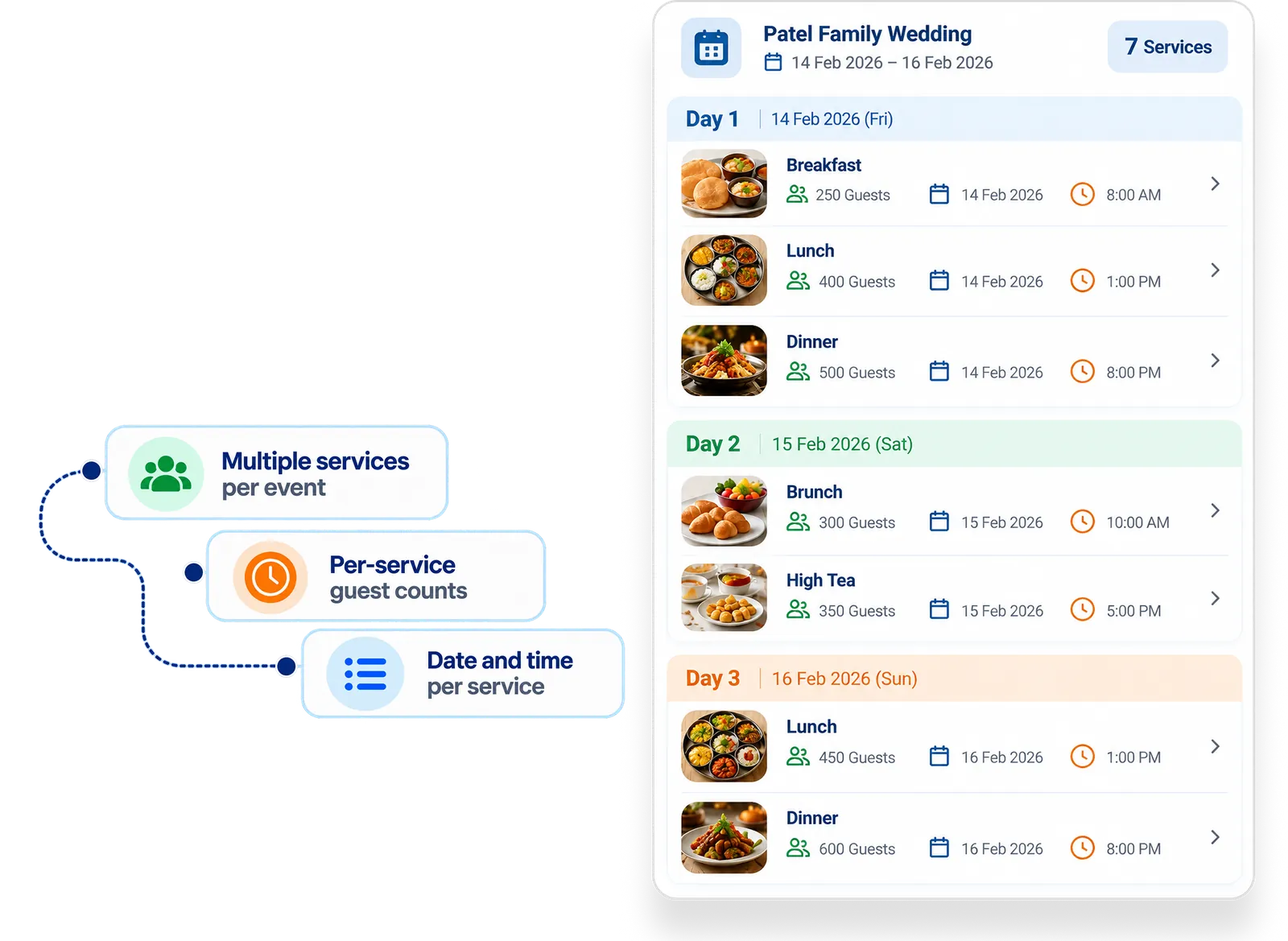
Breakfast, lunch, dinner - each with its own count
Define every service in the event with its own guest count, date and time. A 3-day wedding with six services gets six separate plans, not one guess.
- Multiple services per event
- Per-service guest counts
- Accurate planning
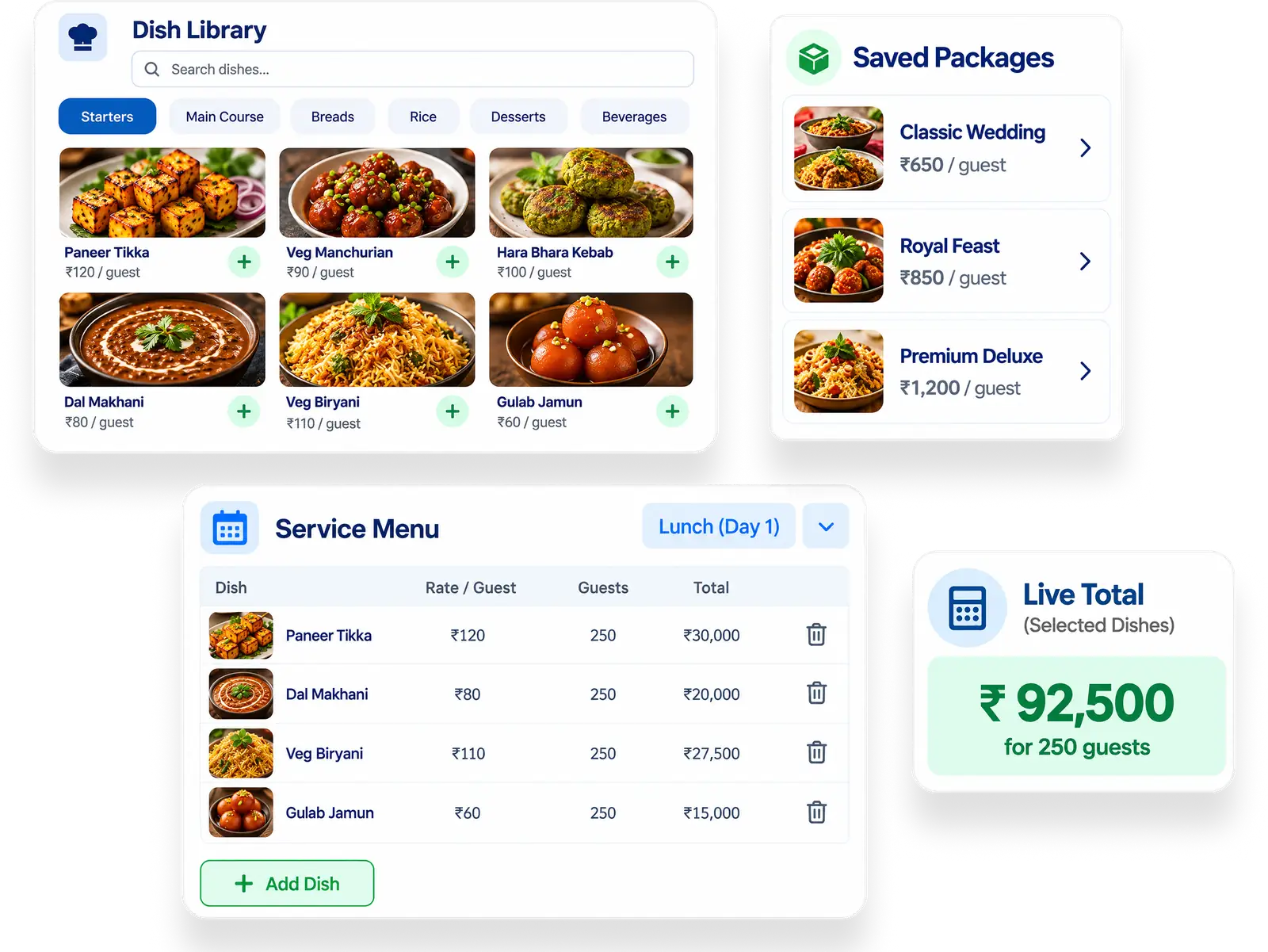
Your dishes. Your packages. Your price.
Build service-wise menus from your dish library, organised by category, or reuse a saved package. Each dish carries its per-guest rate straight into the quotation.
- Build menus
- Organize categories
- Reuse saved dishes
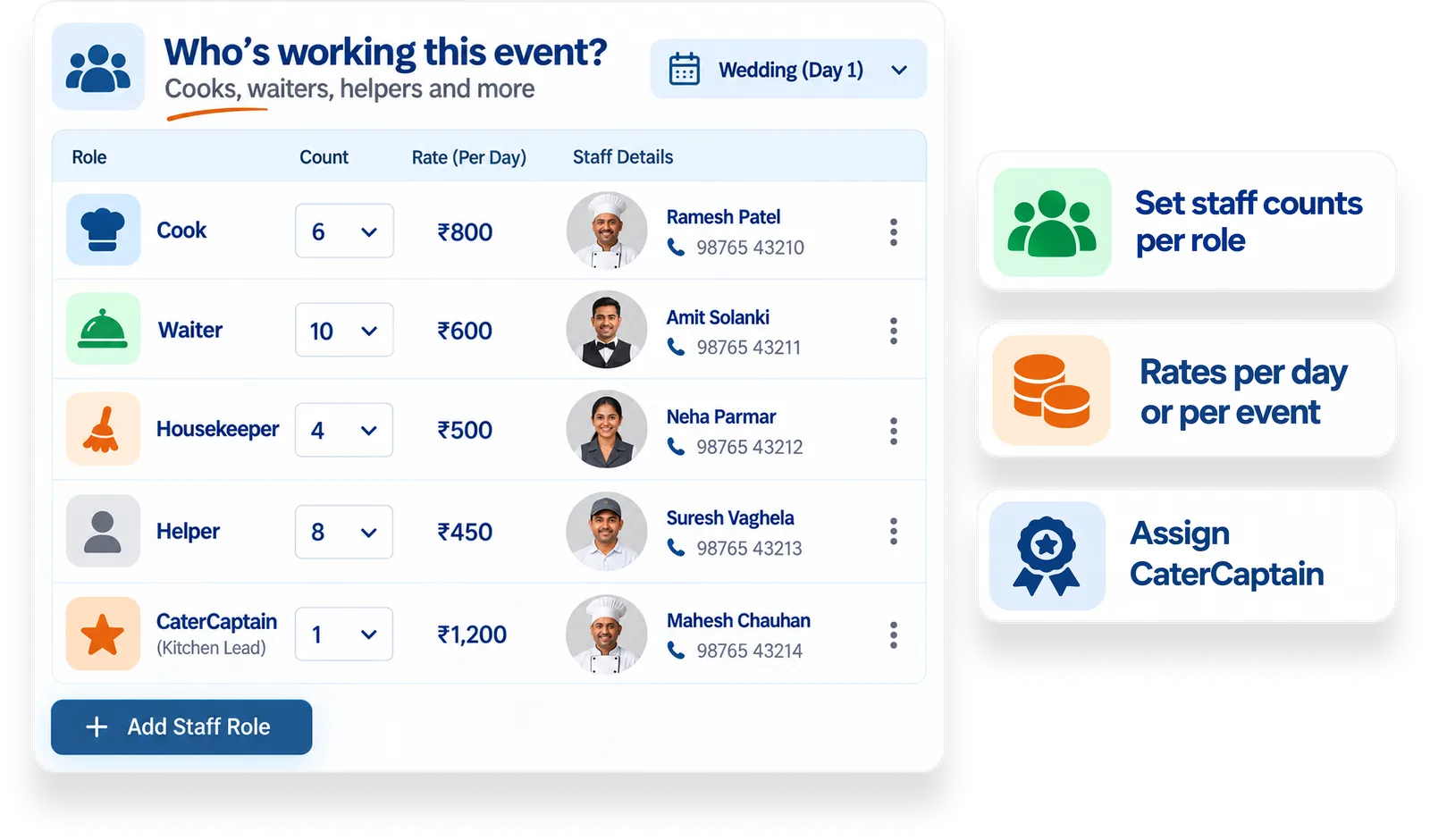
Who's working this event - cooks, waiters, helpers
Get staff counts per role, add names and mobile numbers, and record per-day or per-event rates - one clear assignment sheet for every event.
- Staff planning
- Resource assignment
- Attendance visibility
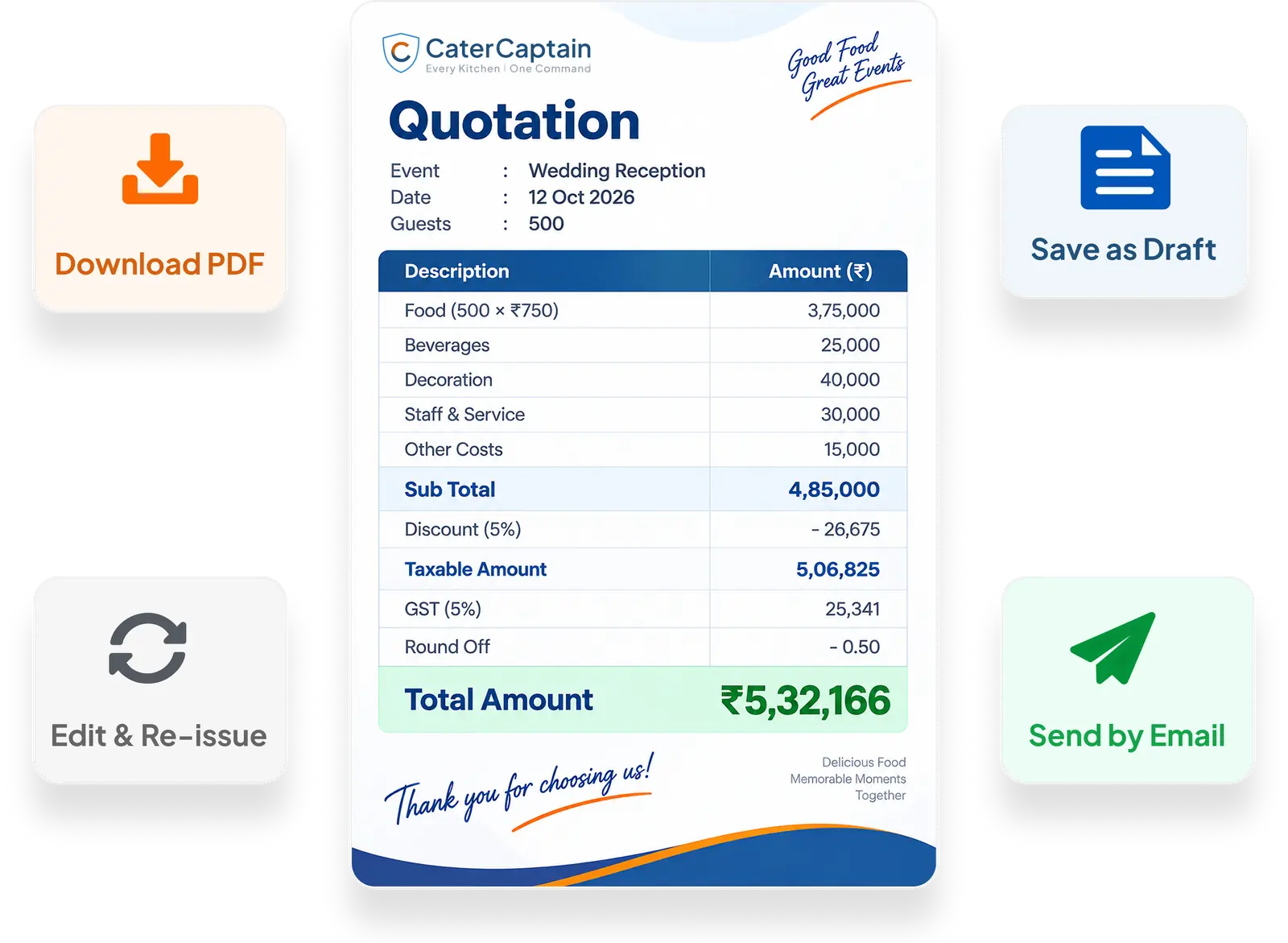
GST-ready quotations, calculated not guessed
Guest count × per-plate price, other costs, profit margin, GST, discounts and round-off - calculated in one screen. Download the PDF or email it straight to the client.
- Accurate pricing
- Download PDF
- Tax calculations
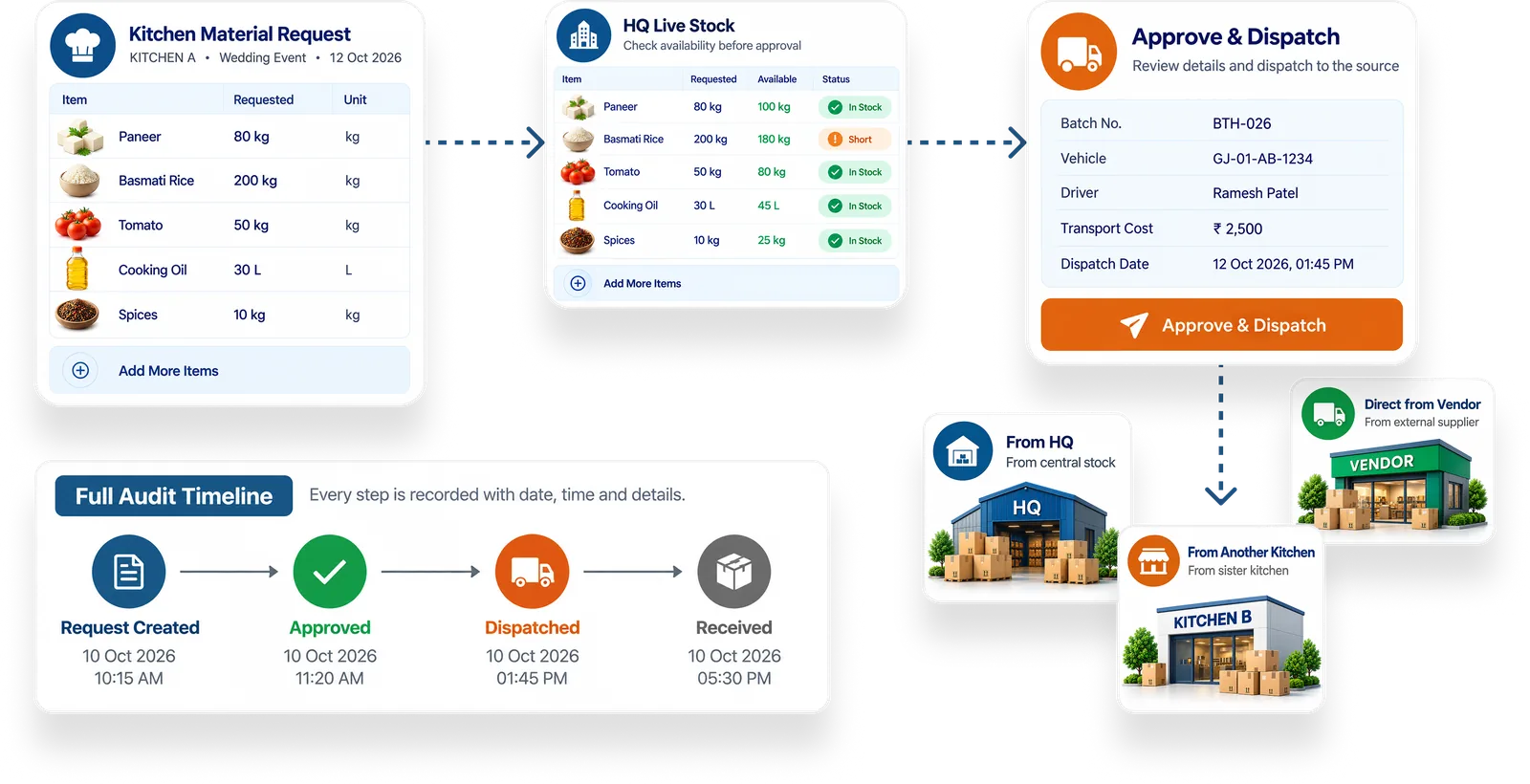
The HQ-to-kitchen supply chain, on record
Kitchens raise material requests; HQ reviews against live stock, approves quantities and dispatches with batch, vehicle and driver details - all timestamped on one timeline.
- Material requests
- Purchase tracking
- Approval workflow
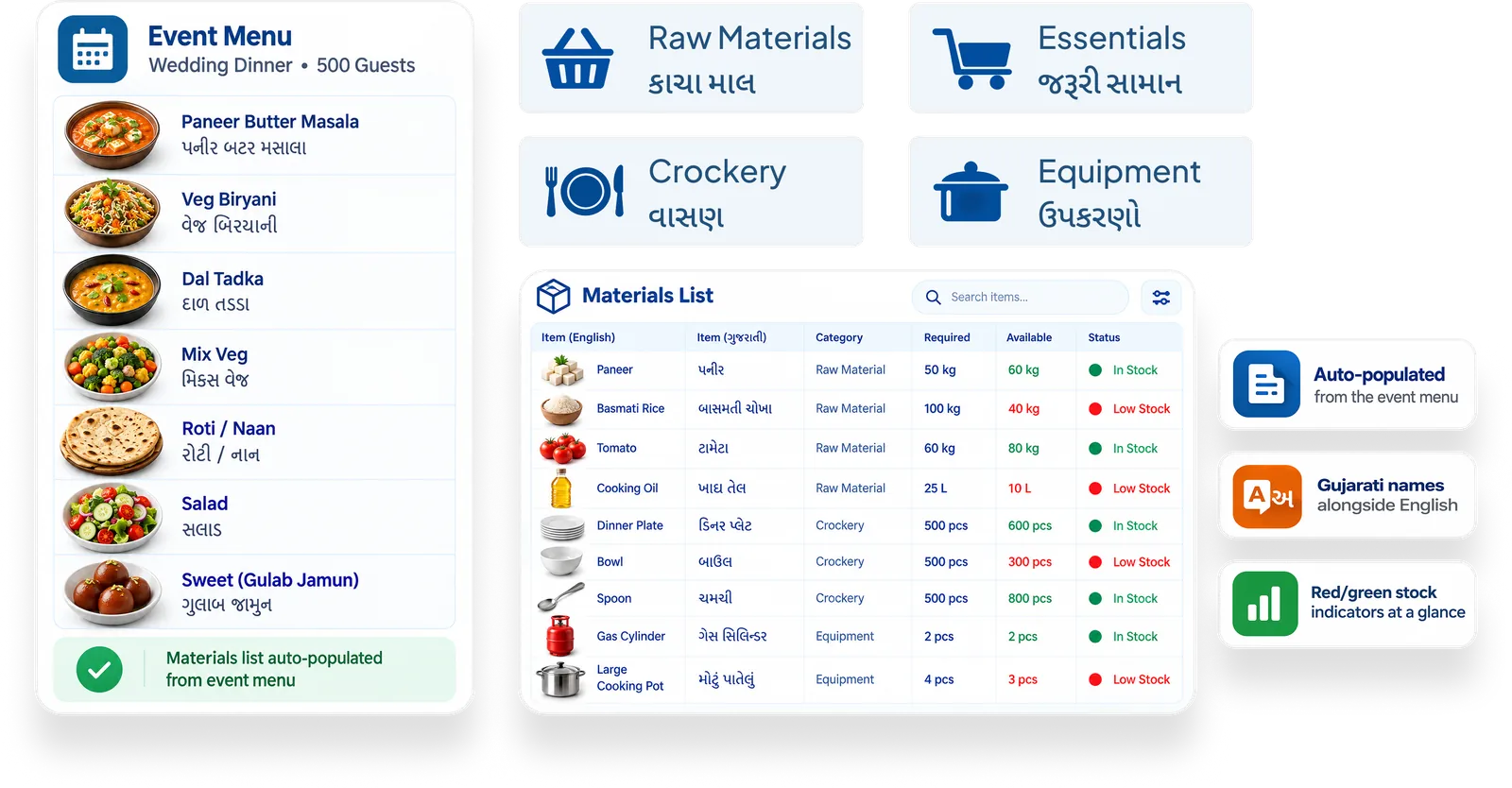
Raw materials, crockery, essentials, equipment
Every event auto-populates its required materials; you adjust quantities and check them against available stock. Crockery, essentials and equipment each get their own tab.
- Inventory categories
- Quantity management
- Usage tracking
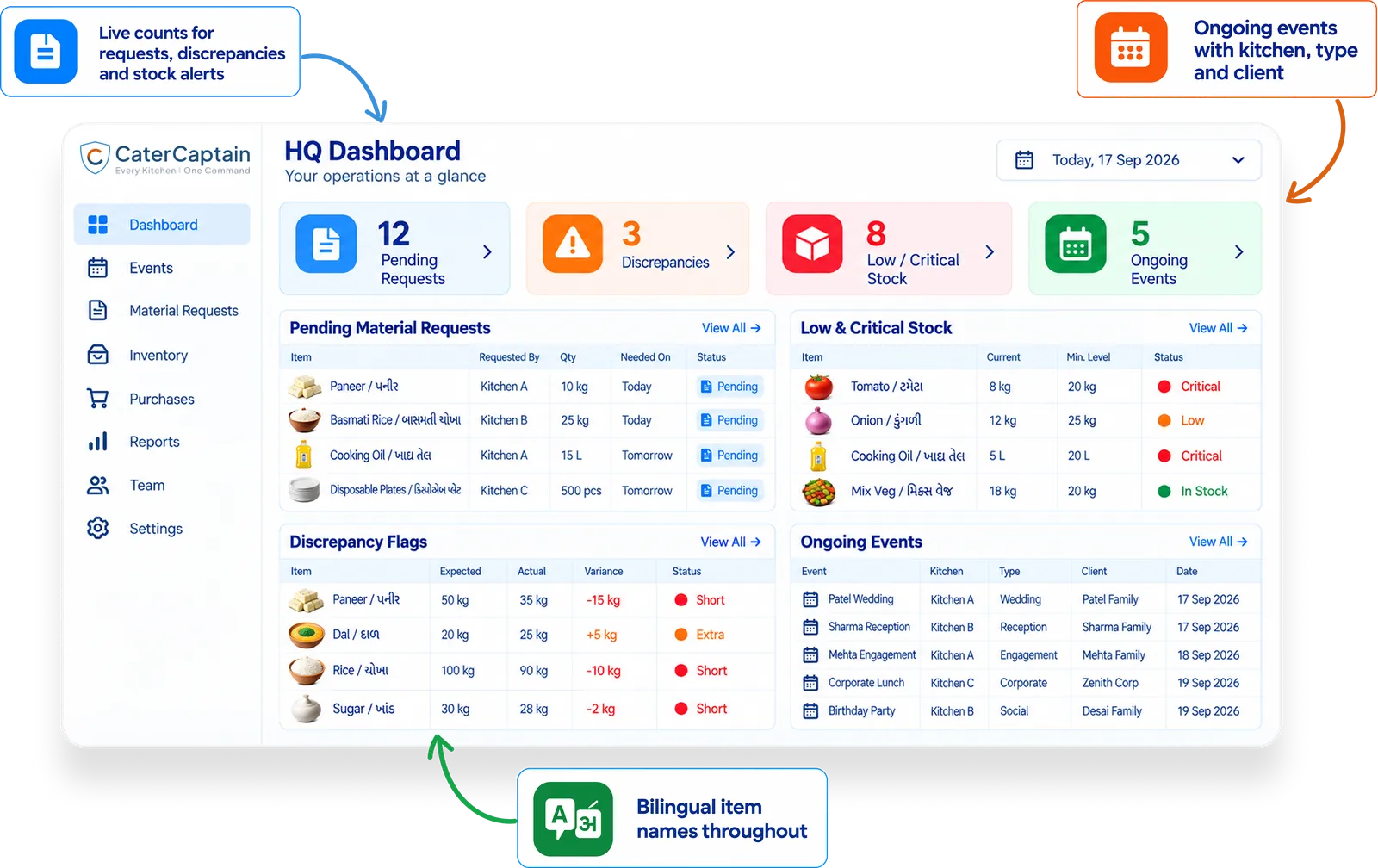
Your whole operation on one screen
Pending material requests, discrepancy flags and ongoing events - the one HQ view that replaces logging into five different screens every morning.
- Events
- Inventory
- Quotations
- Business overview
Also in the box
Per-event P&L
Log actual material, staff and overhead spend after each event and see the real margin on that booking. Built on the numbers you enter - your data, your truth.
Waste & Consumption Logging
Record leftovers and post-event waste per booking. Over time, spot which items get over-ordered and quietly tighten planning for similar functions.
Gujarati + English + Hindi
The whole product works in all three languages - with material names shown bilingually - so the owner, managers and kitchen staff all use the same system comfortably.
Role-based Access
Super Admin (owner), Admin (managers) and CaterCaptain (one per kitchen). Everyone sees what they need - and nothing they shouldn't.
Alerts That Matter
Low-stock, critical-stock and discrepancy alerts on the dashboard, so problems surface before the event day instead of during it.
WhatsApp sharing in one click
Send quotations, invoices, menus, dispatch lists and payment reminders to clients and captains on WhatsApp with one tap, in Gujarati, Hindi or English.